
Channels
Where the campaign lives
One idea, many formats. Each channel below has its specs, a worked example and the rules that matter most. Every format ends on the same thing: the lockup and one clear action.
Channel mix
Out-of-home — 35% of media budget. Launch weeks, big cities.
Social — 30%. Teaser to close; the only channel live in teaser week.
Display and online video — 15%. Retargeting towards the configurator.
In-store and partner retail — 15%. From launch weekend, peaks in the close phase.
Email and CRM — 5%. Four sends: launch, two stories, the offer.
Social
Instagram, TikTok and LinkedIn
Social carries the teaser and the audience stories. Lead with the moment, not the product: the module should be moving in the first second.
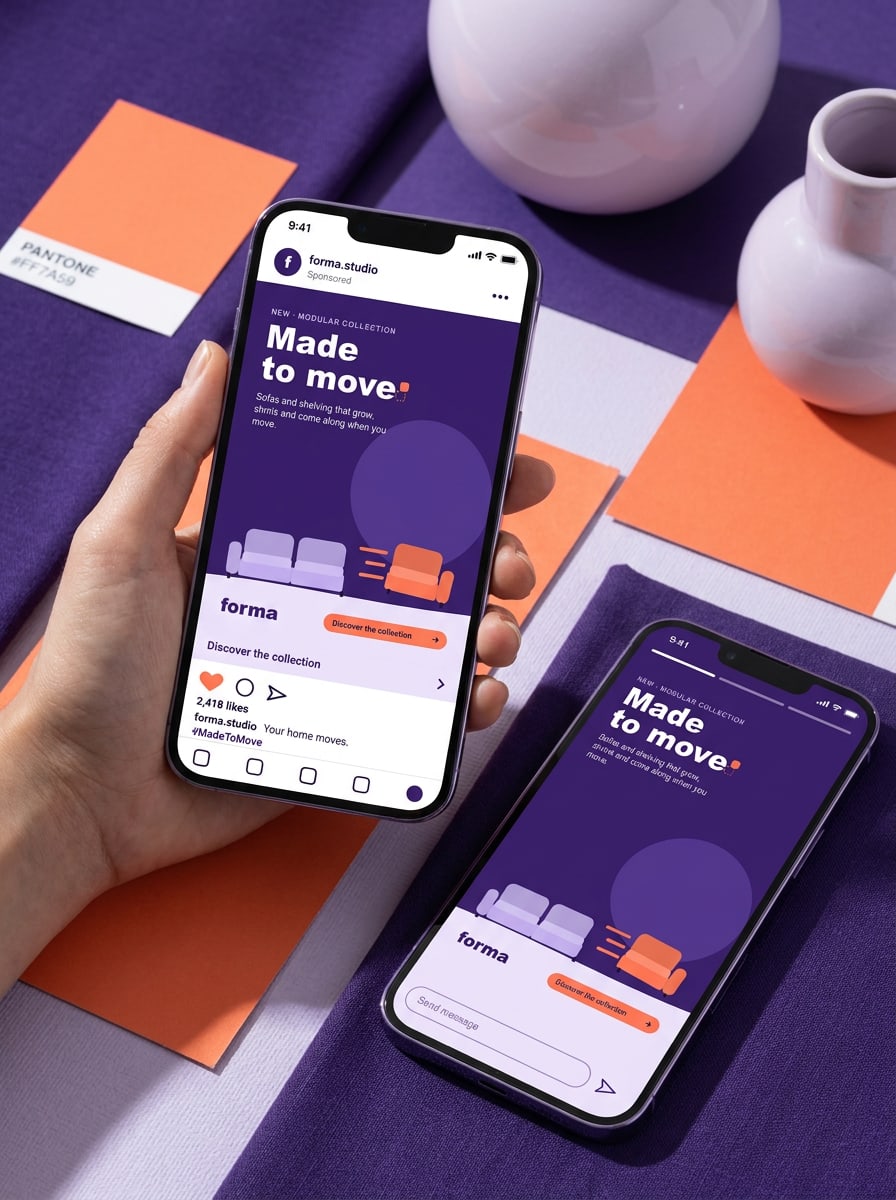
Feed posts
1080 × 1350 px (4:5), or 1080 × 1080 px. Headline max. 6 words. Caption max. 125 characters before 'more'. One hashtag: #MadeToMove (EN) or #GemaaktOmTeBewegen (NL).
Stories, Reels and TikTok
1080 × 1920 px (9:16), 6–15 seconds. The module moves within the first second. Safe zones: 250 px top, 340 px bottom. Sound on, but always subtitled.
1200 × 627 px or 1080 × 1080 px. For partners and the 'working from home' story. Slightly more facts: guarantee, materials, take-back scheme. Tag @Forma Studio in partner posts.
- Post from your own account and tag @forma.studio, so we can reshare.
- Use UTM links from Sanne for every link in bio and swipe-up.
- Don't add stickers, GIFs or trending sounds on top of the key visual.
- Don't crop the lockup to fit the story frame — use the 9:16 template.
Out-of-home
Billboards, bus shelters and digital screens
Out-of-home is read in two seconds. One line, one sofa, one lockup — nothing else. Body copy and prices stay off the street.
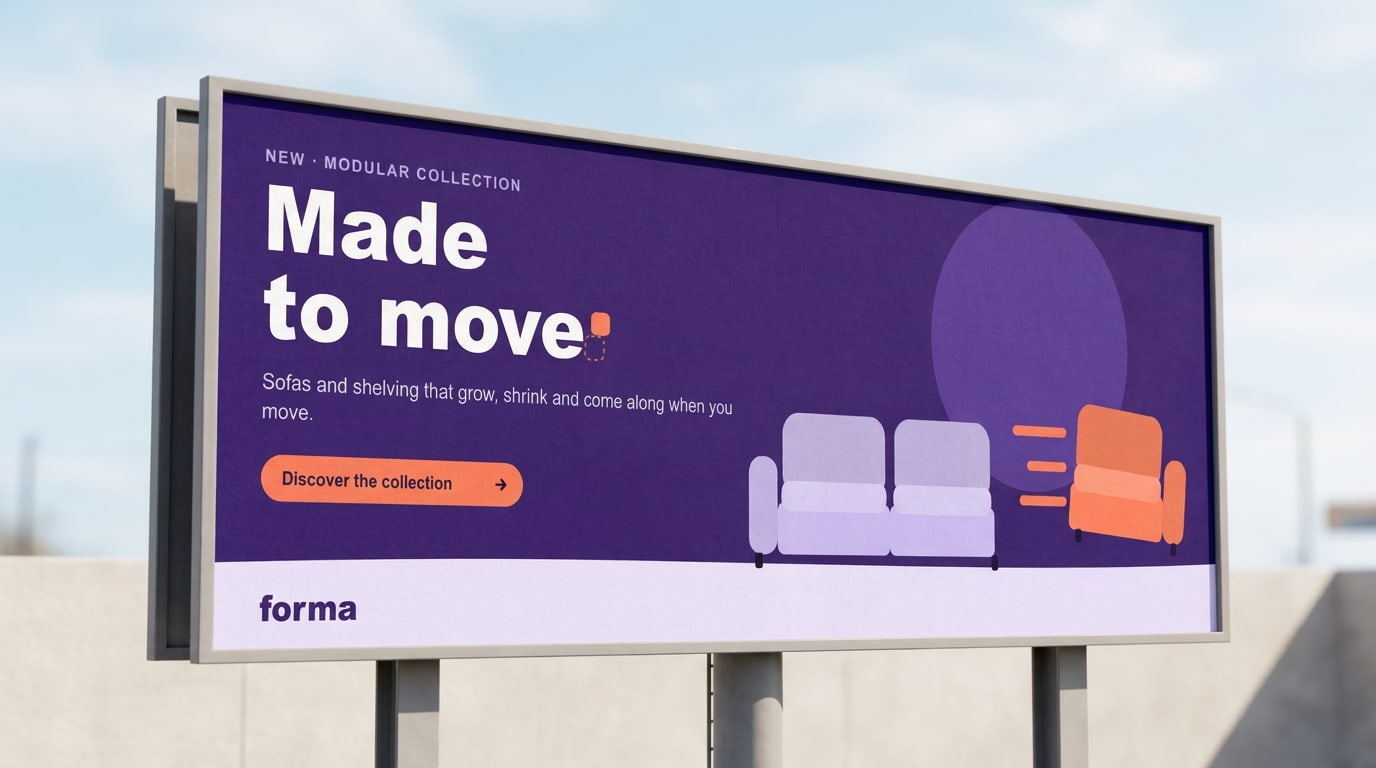
Billboard 48-sheet
6096 × 3048 mm, delivered at 1:10 with 10 mm bleed. Max. 7 words including the line. Viewing distance 30–50 m: headline at least 1/6 of the height.
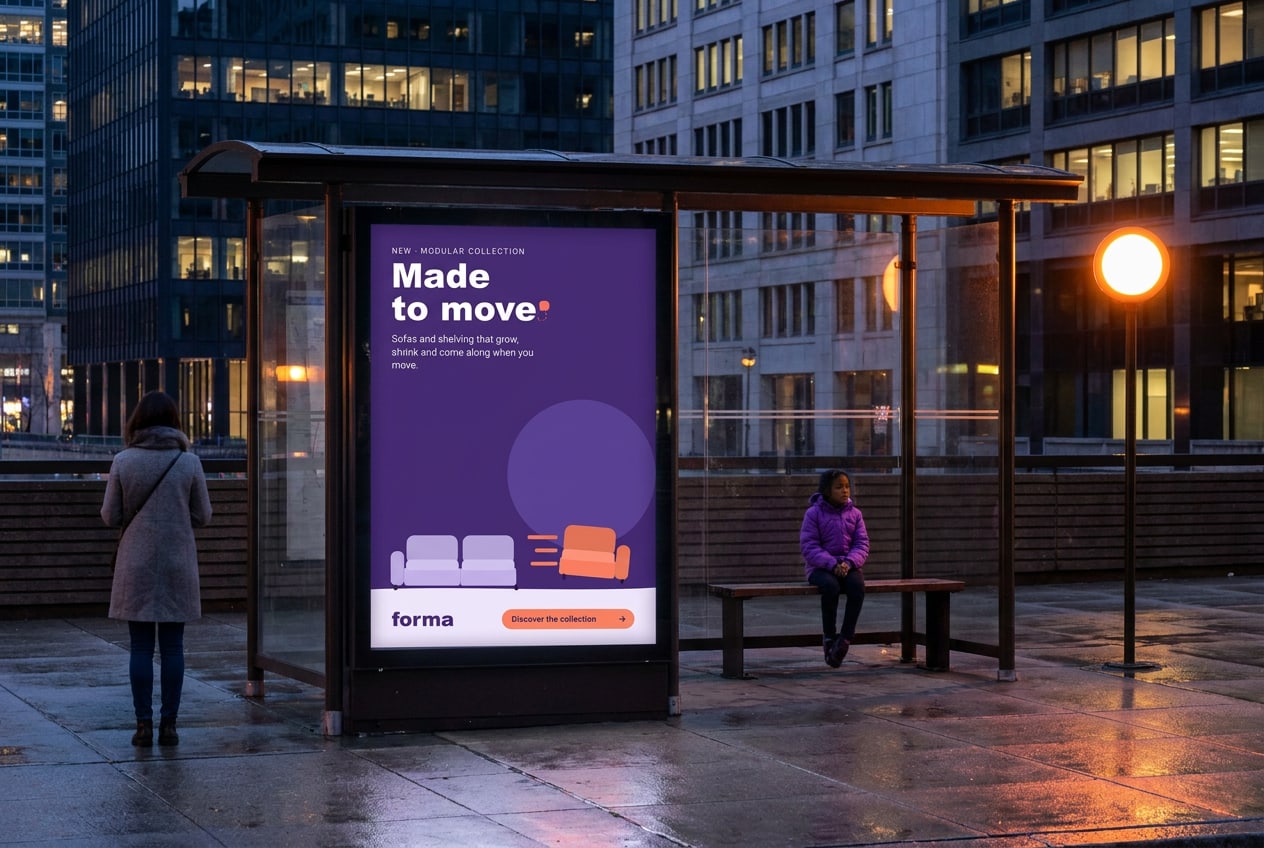
Abri
1185 × 1750 mm, visible area 1160 × 1710 mm. Backlit: print on blueback or backlit paper. Keep copy 40 mm inside the visible area; the frame covers the edges.
Digital out-of-home
1080 × 1920 px, 10 seconds, no sound. Three frames: the line (0–4 s), the module slides out (4–7 s), lockup and showroom city (7–10 s). MP4 (H.264) under 10 MB, or JPG per frame.
Print production
Delivery deadlines
Newsletters and CRM
Four sends to the Forma list and partner lists: launch (6 Oct), two audience stories, and the 'Add a module' offer (17 Nov).
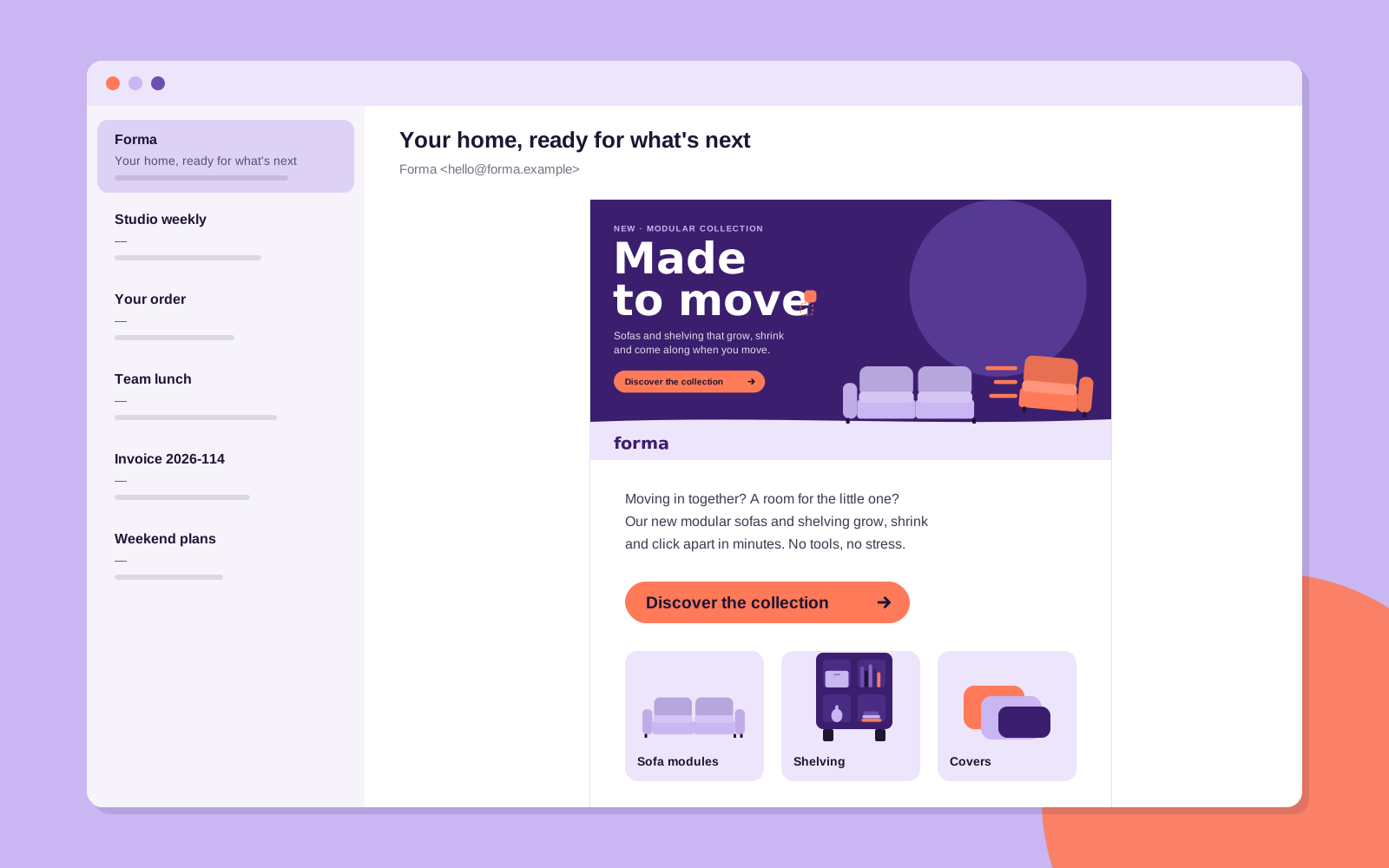
Header
1200 × 600 px, shown at 600 px wide. Use the landscape layout with the line baked in; also set it as alt text. JPG under 200 KB.
Subject lines
Max. 45 characters, no capitals, no emoji in the subject. — Your home, ready for what's next — One more seat. Same sofa. — Add a module, save 15% (ends 30 Nov)
Body and button
Max. 50 words, one story, one proof point. One Signal button with Night text; secondary links in Ink Violet, underlined. Preheader repeats the proof point, not the subject.
Email signature
Campaign email signature
Everyone at Forma and in the showrooms uses this signature from 29 September to 30 November. Fill in your details, check the preview and copy it into Outlook, Gmail or Apple Mail.
Web-safe Arial, Ink Violet accents and the Forma wordmark. Links stay text, so they work in every mail client.
Web banners
Display and retargeting
Banners tell the campaign in three frames: the line, the shift, the action. Static fallbacks always show frame 3.
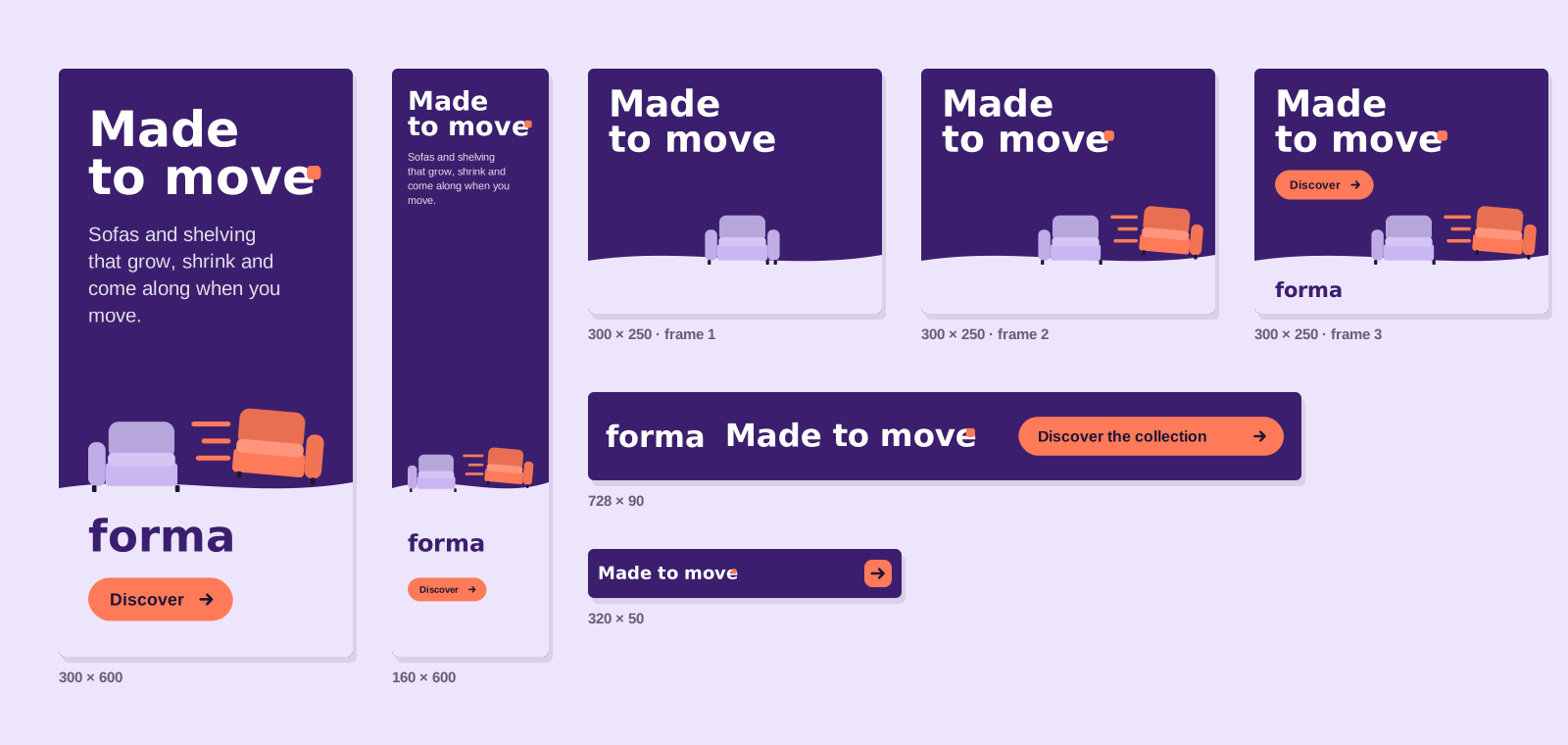
Sizes: 300 × 250, 300 × 600, 160 × 600, 728 × 90, 970 × 250 and 320 × 50 (mobile).
Animation: 15 seconds max., three loops, then stop on frame 3. Frame 1 (0–3 s) the line; frame 2 (3–6 s) the module slides out; frame 3 the wordmark and the button.
Files: HTML5 under 150 KB initial load, plus a static JPG fallback under 60 KB.
Small formats: under 100 px high, drop the eyebrow and subline; the line goes on one row and the button becomes an arrow.
Clickable area: the whole banner, with a 1 px Night border on white sites.
Landing page
Where every click lands
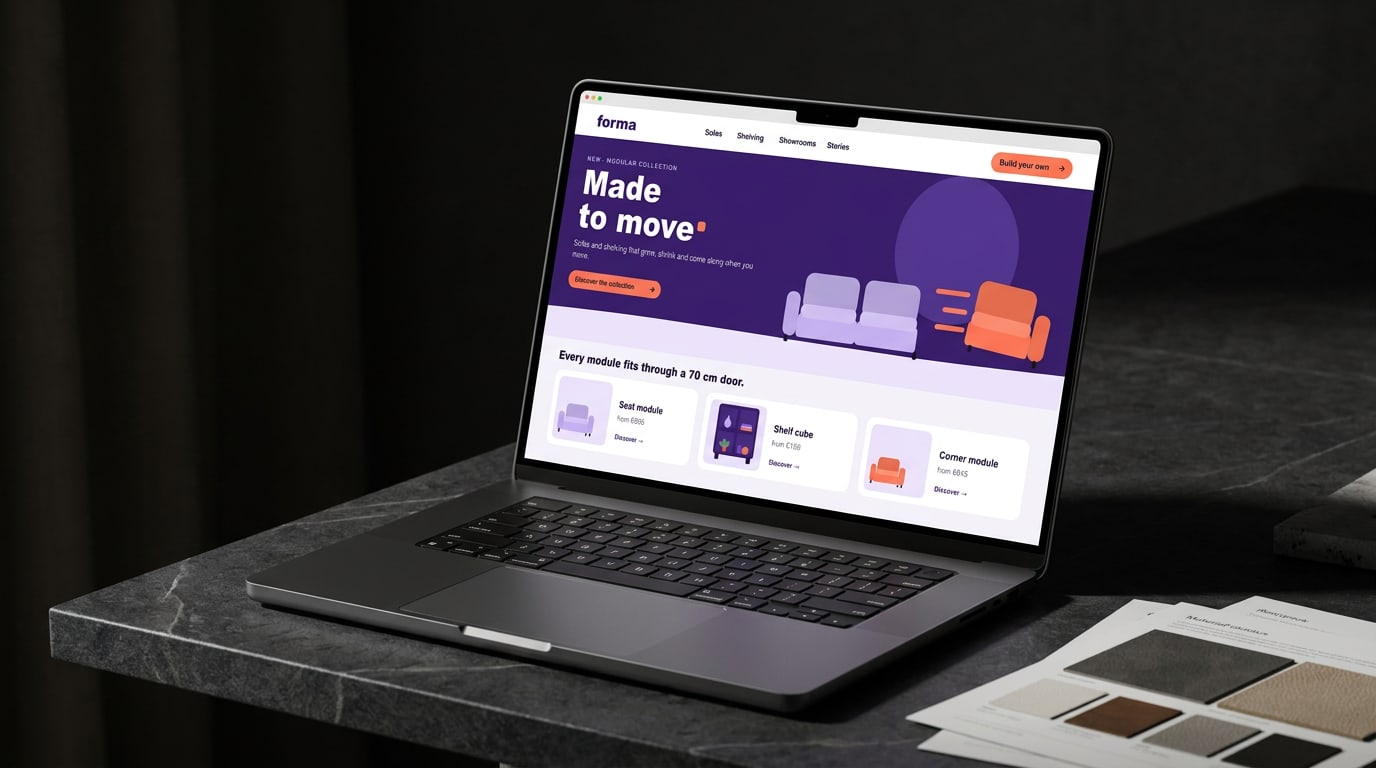
All banners, posts and QR codes lead to forma.example/made-to-move (NL: /gemaakt-om-te-bewegen). The page repeats the key visual one-to-one, so the click feels like the same story — then shows the modules and the configurator.
In-store
Showrooms in Amsterdam, Utrecht and Antwerp
In the showroom, the campaign becomes something you can do: sit, click a module off, click it on somewhere else. Materials invite people to try.
Posters and signs
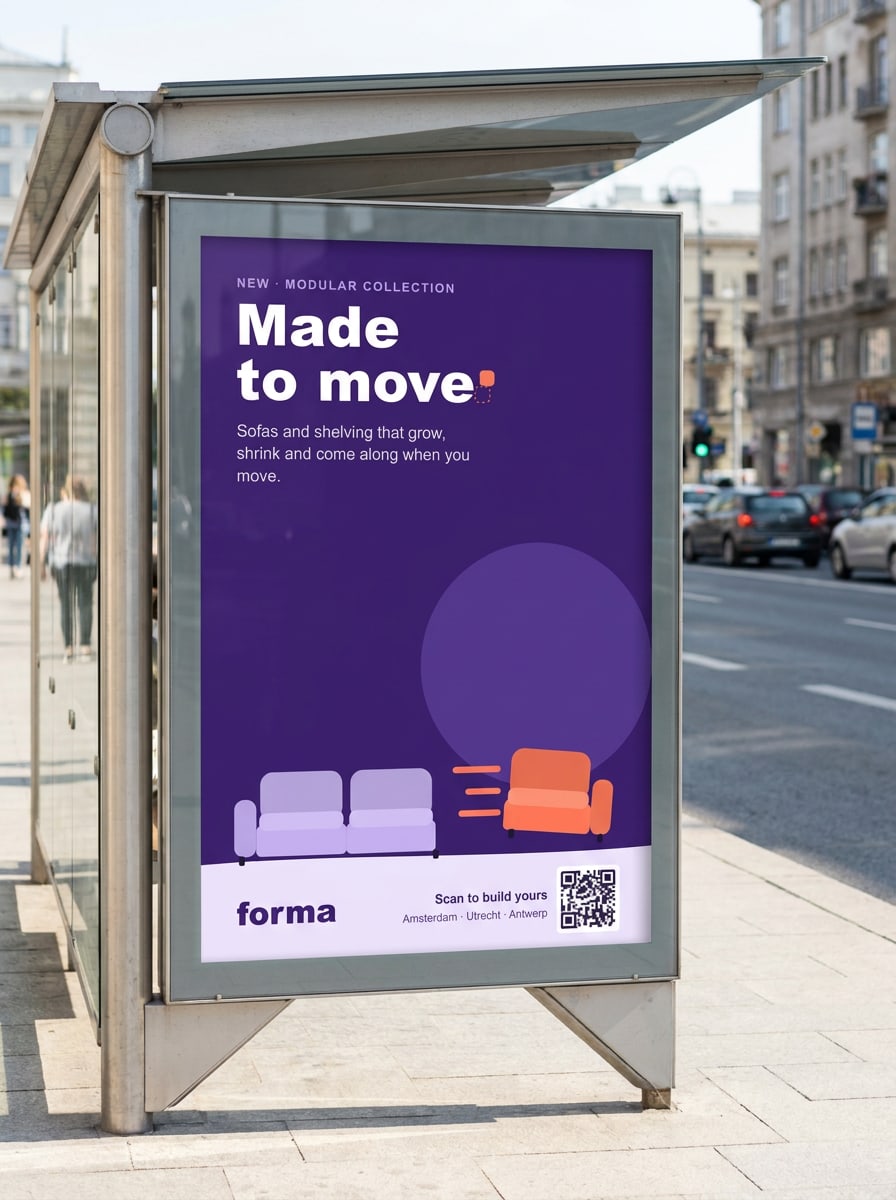
A1 poster (594 × 841 mm) with a QR code to the configurator, 3 mm bleed. A6 shelf talkers per module with name, size and price. Hanging sign: 1000 × 400 mm, double-sided.
Windows and floor
Window decal: the Signal module at 600 × 600 mm, with three trail lines, cut vinyl. Floor stickers: dashed module outlines in Lilac (500 × 500 mm) where a module 'used to be'.
Talking points for staff
— 'Want to try? Click this seat off.' — Every module fits through a 70 cm door. — Start small; add a module whenever life changes. — 10-year guarantee on every frame.
Launch weekend invitation
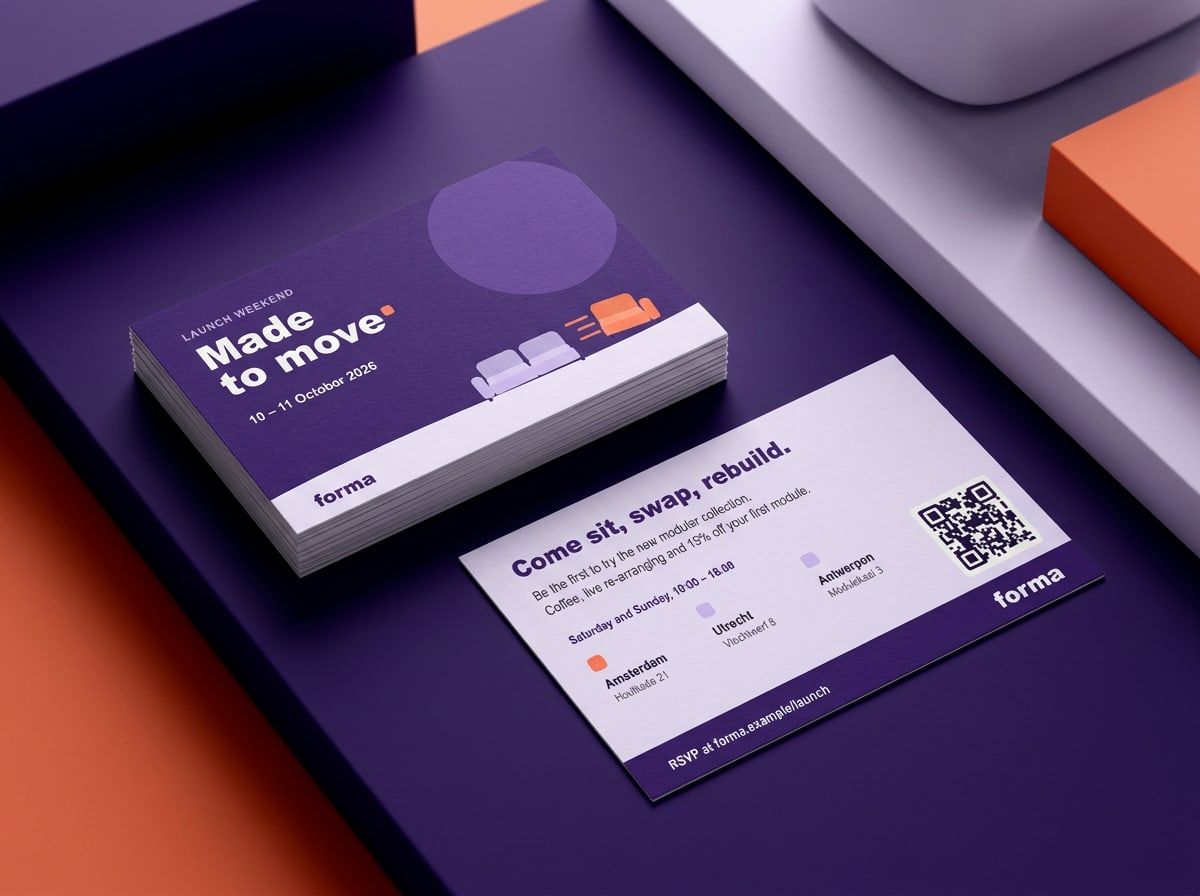
Showrooms and partner stores hand out this card from 28 September and send it with every order. Front: the campaign; back: the three showrooms, opening hours and a QR code to sign up. Printed on 400 g uncoated board, 85 × 55 mm.
Partners
Partner retailers
Around 40 partner stores in the Netherlands and Flanders sell the collection. They get the full kit, with room for their own name and details.